Monolith vs. Microservices: The Complete Guide to Choosing Your Software Architecture

Rohan Shrestha
Author
Introduction: Why Your Architecture Choice Matters More Than You Think
Imagine building a house. You could build it as one massive structure with everything connected, or you could build separate units that work together independently. Both approaches work, but they solve different problems.
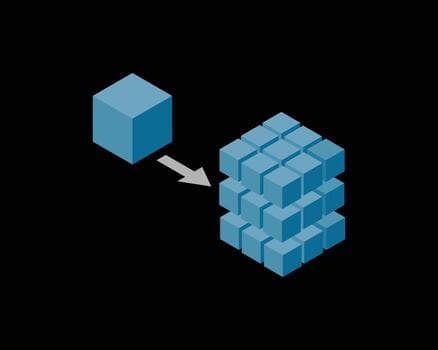
This is exactly the choice software developers face when designing applications: should you build a monolith (one big application) or use microservices (many small, independent applications)?
This decision affects everything: how fast you can build features, how much it costs to run your app, how many engineers you need, and whether your app can handle millions of users. Let's break it down in simple terms.
What is Monolithic Architecture?
The Simple Explanation
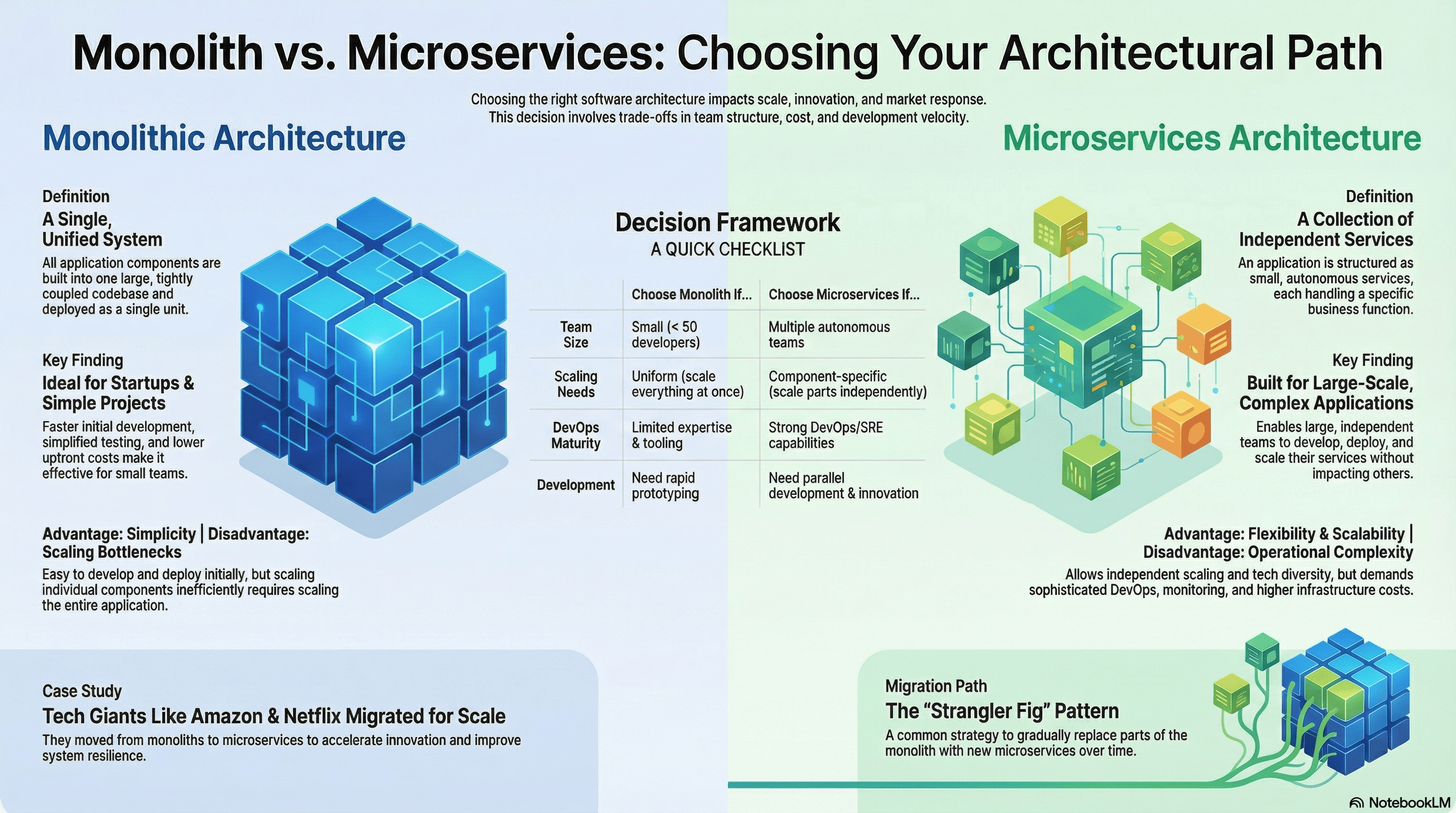
A monolithic architecture means your entire application is built as one single, unified piece of software. Everything—the user interface, business logic, and database interactions—lives together in one codebase.
Think of it like a all-in-one kitchen appliance that can blend, chop, and cook. Everything is built into one machine.
Real-World Example
Let's say you're building an online store:
Monolithic approach:
- Product catalog
- Shopping cart
- Payment processing
- User accounts
- Order history
All of these features are part of one application. When you want to update the shopping cart, you have to redeploy the entire application—including the parts you didn't change.
When Should You Use a Monolith?
Monolithic architecture is perfect for:
✅ Startups and new projects
- You need to get your product to market quickly
- You're still figuring out what features users want
- You don't want to waste time setting up complex infrastructure
✅ Small teams (under 50 developers)
- Everyone can work on the same codebase
- Less coordination overhead
- Easier for new team members to understand
✅ Limited budget and resources
- Cheaper to host (one server instead of many)
- Don't need expensive DevOps engineers
- Simple deployment process
✅ Straightforward applications
- The app does one main thing well
- You don't need different parts to scale independently
- Requirements are stable and well-understood
The Advantages of Monoliths
1. Simplicity (The Biggest Win)
Everything is in one place. This means:
- Easier to understand how the whole system works
- Simple to set up on your local machine for development
- One deployment pipeline instead of many
- Debugging is straightforward—all your code is right there
2. Faster Initial Development
You can build features quickly because:
- No need to design APIs between services
- Direct function calls instead of network requests
- Shared code and utilities are easy to use
- One database means no data synchronization headaches
3. Lower Upfront Costs
- One server or container to run
- Basic monitoring tools are enough
- Don't need Kubernetes or complex orchestration
- Smaller DevOps team (or none at all)
4. Easy Testing
- Test the whole application as one unit
- No mocking of external services needed
- Integration tests are straightforward
- Performance testing is simpler
The Challenges of Monoliths
1. Scaling Bottlenecks (The Main Problem)
Here's where monoliths struggle: you have to scale everything together.
Imagine your online store during Black Friday. Your checkout process is getting hammered with traffic, but your product catalog is fine. With a monolith, you must scale the entire application—even the parts that don't need it.
This is like buying a second car because your trunk isn't big enough, even though the engine works fine.
2. Slower Development Over Time
As your codebase grows:
- Build times get longer (10+ minutes to compile)
- Tests take forever to run
- More bugs because changes can affect anything
- Harder for new developers to understand
3. Deployment Risks
Every deployment is "all or nothing":
- A bug in one feature can bring down the entire app
- Rolling back means rolling back everything
- Can't deploy different features at different rates
- Downtime affects all users
4. Technology Lock-In
You're stuck with your initial technology choices:
- Hard to try new programming languages
- Can't use specialized tools for specific problems
- Upgrading frameworks affects the entire codebase
What is Microservices Architecture?
The Simple Explanation
Microservices architecture means breaking your application into many small, independent services. Each service does one specific job and can be developed, deployed, and scaled on its own.
Think of it like specialized kitchen staff in a restaurant: one person makes salads, another handles desserts, another cooks main courses. They work independently but coordinate to deliver the final meal.
Real-World Example
Same online store, microservices approach:
Separate Services:
- Product Catalog Service - Manages all product information
- Shopping Cart Service - Handles adding/removing items
- Payment Service - Processes payments securely
- User Service - Manages accounts and authentication
- Order Service - Tracks orders and fulfillment
- Notification Service - Sends emails and alerts
Each service:
- Has its own database
- Can be written in different programming languages
- Runs independently
- Communicates with others through APIs (like sending messages)
When Should You Use Microservices?
Microservices make sense when:
✅ You have a large, complex application
- Many different business domains
- Each area needs specialized expertise
- Features have different scaling requirements
✅ You have multiple teams (50+ developers)
- Teams need to work independently
- Different teams own different services
- Can't afford bottlenecks in shared code
✅ You need independent scaling
- Some features get 10x more traffic than others
- Different services have different resource needs
- Want to optimize costs by scaling only what's needed
✅ You have strong DevOps capabilities
- Team experienced with Docker and Kubernetes
- Automated deployment pipelines
- Sophisticated monitoring and logging systems
✅ You need continuous innovation
- Want to deploy new features multiple times per day
- Different services can use different technologies
- Can experiment with new approaches safely
The Advantages of Microservices
1. Flexibility and Scalability (The Main Win)
Independent Scaling: During Black Friday, scale just your payment and checkout services while leaving everything else alone. This saves money and resources.
Technology Diversity:
- Use Python for machine learning recommendations
- Use Go for high-performance payment processing
- Use Node.js for real-time notifications
- Choose the best tool for each job
2. Team Autonomy
Teams can work independently:
- Frontend team deploys without waiting for backend
- Payment team can update their service anytime
- No merge conflicts with other teams
- Faster decision-making
3. Better Fault Isolation
If one service crashes:
- Other services keep running
- Users can still browse products even if checkout is down
- Easier to identify and fix problems
- Can implement graceful degradation (fallback features)
4. Easier to Understand (Paradoxically)
Each service is small and focused:
- New developers can understand one service quickly
- Clear boundaries between different business functions
- Less cognitive load per service
- Better code organization
5. Continuous Deployment
- Deploy services independently
- Multiple deployments per day without risk
- Can roll back one service without affecting others
- A/B testing is easier
The Challenges of Microservices
1. Operational Complexity (The Biggest Challenge)
Running microservices requires serious infrastructure:
You need:
- Container orchestration (Kubernetes) to manage services
- Service discovery so services can find each other
- API gateways to route requests
- Load balancers for each service
- Distributed tracing to follow requests across services
- Centralized logging to debug issues
- Service mesh for secure communication
This isn't just technical complexity—it's expensive in both money and engineering time.
2. Network Overhead
Services communicate over the network:
- Slower than in-process function calls
- Must handle network failures
- Adds latency to requests
- Need retry logic and circuit breakers
3. Data Consistency Challenges
Each service has its own database, so:
- No traditional database transactions across services
- Must implement distributed transactions (complex!)
- Eventual consistency instead of immediate consistency
- Harder to maintain data integrity
4. Testing Complexity
- Must test each service individually
- Integration testing requires running multiple services
- Need to mock other services
- End-to-end testing is complicated
5. Higher Costs
- More servers/containers to run
- More expensive monitoring tools
- Need specialized DevOps engineers
- Higher cloud infrastructure bills
6. Debugging Difficulties
When something goes wrong:
- Must trace requests across multiple services
- Logs are scattered
- Harder to reproduce issues locally
- Need sophisticated debugging tools
The Decision Framework: A Practical Checklist
Use this simple guide to choose the right architecture:
Choose Monolith If:
| Factor | Your Situation |
|---|---|
| Team Size | Small team (fewer than 50 developers) |
| Project Stage | Startup, MVP, or new product |
| Scaling Needs | Can scale the whole app uniformly |
| DevOps Skills | Limited expertise with containers/Kubernetes |
| Development Priority | Need to build features fast |
| Budget | Limited infrastructure budget |
| Complexity | Straightforward application with clear requirements |
Choose Microservices If:
| Factor | Your Situation |
|---|---|
| Team Size | Multiple autonomous teams (50+ developers) |
| Project Stage | Mature product with proven market fit |
| Scaling Needs | Different parts need independent scaling |
| DevOps Skills | Strong DevOps/SRE team with automation expertise |
| Development Priority | Need parallel development and continuous deployment |
| Traffic Patterns | Highly variable or unpredictable load |
| Complexity | Complex business domains with different requirements |
Real-World Case Study: How Tech Giants Made the Switch
Amazon's Journey
The Problem: In the early 2000s, Amazon's monolithic application became a bottleneck. Teams couldn't deploy independently, and scaling the entire application for peak loads was expensive and slow.
The Solution: Amazon pioneered the microservices approach:
- Each team owned specific services
- Services communicated through well-defined APIs
- Teams could deploy independently multiple times per day
- Individual services could scale based on demand
The Results:
- Faster feature development
- Better resource utilization
- Improved system reliability
- Enabled the creation of AWS (their services became products!)
Netflix's Transformation
The Problem: Netflix was growing rapidly, and their monolithic DVD rental system couldn't handle streaming video at scale. A single database failure would bring down the entire service.
The Solution: Netflix migrated to microservices over several years:
- 500+ microservices handling different functions
- Each service designed for failure (chaos engineering)
- Automatic scaling based on viewing patterns
- Independent deployment of new features
The Results:
- Handles 200+ million subscribers globally
- Can deploy thousands of times per day
- Services automatically scale during peak viewing hours
- System continues working even when individual services fail
Key Lesson from Both Companies
They didn't start with microservices. Both began with monoliths and migrated only when:
- They had product-market fit
- They faced scaling challenges
- They had the resources and expertise
- The complexity was justified by their needs
The Migration Path: The "Strangler Fig" Pattern
If you start with a monolith (recommended!) and later need microservices, use the Strangler Fig Pattern.
What Is It?
Named after a fig tree that grows around a host tree, this pattern means gradually replacing parts of your monolith with microservices over time—not all at once.
How It Works:
Step 1: Identify a Boundary Choose one feature that:
- Is relatively independent
- Has clear inputs and outputs
- Would benefit from separate scaling
- Won't break everything if it fails
Example: Start with the notification system
Step 2: Build the Microservice
- Create a new service with the same functionality
- Keep the monolith code in place
- Run both in parallel
Step 3: Route Traffic Gradually
- Send 5% of traffic to the new service
- Monitor for issues
- Gradually increase to 100%
Step 4: Remove from Monolith
- Once the microservice handles all traffic
- Remove the old code from the monolith
- Celebrate your progress!
Step 5: Repeat Pick the next feature and do it again.
Why This Works:
- Low risk - Can roll back anytime
- Learn as you go - Each service teaches you something
- No big bang - Business continues normally
- Gradual investment - Spread costs over time
Common Mistakes to Avoid
Mistake #1: Starting with Microservices Too Early
The Problem: Many startups jump to microservices because "that's what Netflix does." They spend months building infrastructure instead of validating their product.
The Fix: Start with a monolith. Prove your idea works. Migrate to microservices only when you face real scaling problems.
Mistake #2: Making Microservices Too Small
The Problem: Creating a separate service for every function leads to hundreds of tiny services that are hard to manage.
The Fix: Services should represent business capabilities, not technical functions. Think "order management service," not "database access service."
Mistake #3: Ignoring DevOps Requirements
The Problem: Building microservices without automated deployment, monitoring, and logging tools leads to chaos.
The Fix: Invest in DevOps infrastructure before migrating. If you don't have automated deployment pipelines, you're not ready for microservices.
Mistake #4: Sharing Databases
The Problem: Multiple services accessing the same database defeats the purpose of independence.
The Fix: Each service should own its data. If services need to share data, they should communicate through APIs, not direct database access.
Mistake #5: Not Planning for Failure
The Problem: In a distributed system, services will fail. If you don't plan for it, your entire system becomes fragile.
The Fix: Implement circuit breakers, retries, timeouts, and graceful degradation from day one.
Practical Example: Building an E-commerce Platform
Let's see both approaches in action:
Starting with a Monolith (Year 1)
Your Situation:
- 5-person startup
- Limited budget ($10k/month)
- Need to launch in 3 months
- No DevOps expertise
Architecture:
- Single Ruby on Rails application
- PostgreSQL database
- Deployed on Heroku
- Simple monitoring with Heroku dashboard
Features:
- User authentication
- Product catalog
- Shopping cart
- Checkout with Stripe
- Basic admin panel
Results:
- Launched in 3 months
- Costs: $500/month hosting
- Can handle 10,000 users
- 2 deployments per week
Growing Pains (Year 2)
New Situation:
- 50,000 users
- 15 developers
- Deployment takes 30 minutes
- Checkout is slow during peak hours
- Teams stepping on each other's toes
Problems:
- Must scale entire app for checkout traffic
- Long build times slowing development
- Database becoming a bottleneck
- Can't experiment with new technologies
Migrating to Microservices (Year 3)
Strategic Migration:
Phase 1: Extract payment processing
- Build new payment service in Go (better performance)
- Scale independently during checkout peaks
- Reduces load on main monolith
Phase 2: Extract product search
- Build search service using Elasticsearch
- Can update search without affecting checkout
- Specialized infrastructure for search
Phase 3: Extract user authentication
- Build auth service with OAuth2
- Centralized authentication for all services
- Can add social login without touching other code
Results After Migration:
- 20 independent services
- Each team owns 2-3 services
- Deploy 50+ times per day
- Checkout handles 10x traffic during sales
- Costs: $15k/month (but handling 500,000 users)
The Hybrid Approach: Best of Both Worlds
You don't have to choose one or the other completely. Many successful companies use a hybrid approach:
Core Monolith + Strategic Microservices
Keep as a monolith:
- Admin panels
- Reporting
- Internal tools
- Slowly-changing features
Extract as microservices:
- High-traffic features (search, recommendations)
- Features needing independent scaling (payment, video processing)
- Features with special requirements (real-time chat, notifications)
Why This Works:
- Pragmatic - Use the right tool for each job
- Cost-effective - Don't over-engineer
- Flexible - Can extract more services as needed
- Manageable - Fewer moving parts than pure microservices
Key Takeaways: Your Architecture Action Plan
If You're Starting a New Project:
1. Start with a Monolith
- Get to market fast
- Validate your idea
- Learn your domain
2. Build with Migration in Mind
- Write modular code
- Keep clear boundaries between features
- Use interfaces and abstraction
- Document dependencies
3. Monitor Key Metrics
- Response times
- Database query performance
- Deployment frequency
- Team velocity
4. Plan for the Future
- Know when you'll need to scale
- Identify bottlenecks early
- Build DevOps capabilities gradually
If You're Considering Migration:
Ask These Questions:
1. Do we have real scaling problems?
- Not just "might need to scale someday"
- Actual performance issues or bottlenecks
- Data to prove it
2. Do we have the expertise?
- DevOps engineers who know Kubernetes
- Automated deployment pipelines
- Monitoring and logging infrastructure
3. Do we have multiple teams?
- Teams stepping on each other
- Deployment coordination problems
- Slow feature development
4. Can we justify the cost?
- 2-3x infrastructure costs
- Additional DevOps engineers
- More complex operations
If you answered "no" to most of these, stick with your monolith and focus on your product.
Conclusion: There's No Perfect Architecture
The truth about software architecture is that there's no universal "best" choice. Monoliths aren't outdated, and microservices aren't always better.
The right architecture depends on:
- Your team size and expertise
- Your scaling requirements
- Your budget and resources
- Your product maturity
- Your organizational structure
Remember what Amazon's CTO Werner Vogels said: "There is no compression algorithm for experience." You learn what you need by building, measuring, and iterating.
Start simple. Scale when necessary. Don't over-engineer.
Most importantly, focus on building something people want to use. The architecture can always evolve—but without users, it doesn't matter how elegant your system is.
Further Reading and Resources
Books:
- "Building Microservices" by Sam Newman
- "The Phoenix Project" by Gene Kim
- "Monolith to Microservices" by Sam Newman
Online Resources:
- Martin Fowler's article on Microservices
- Netflix Tech Blog
- Amazon's AWS Architecture Blog
Tools to Explore:
- Docker (containerization)
- Kubernetes (orchestration)
- Istio (service mesh)
- Prometheus (monitoring)