Docker Explained Simply: How to Package and Run Your Apps Anywhere

Rohan Shrestha
Author
Understanding Docker: The Ultimate Beginner's Guide
Have you ever spent hours setting up an application on your computer, only to have it fail when you try running it on another machine? Or heard a developer say "but it works on my machine"? Docker solves exactly this problem, and it's easier to understand than you might think.
What is Docker, Really?
Think of Docker as a way to package your entire application along with everything it needs to run—into a neat, portable container. Just like a chef follows a recipe to create a consistent cake every time, Docker uses instructions to create consistent applications that work the same way everywhere.
The Cooking Analogy That Makes Everything Clear
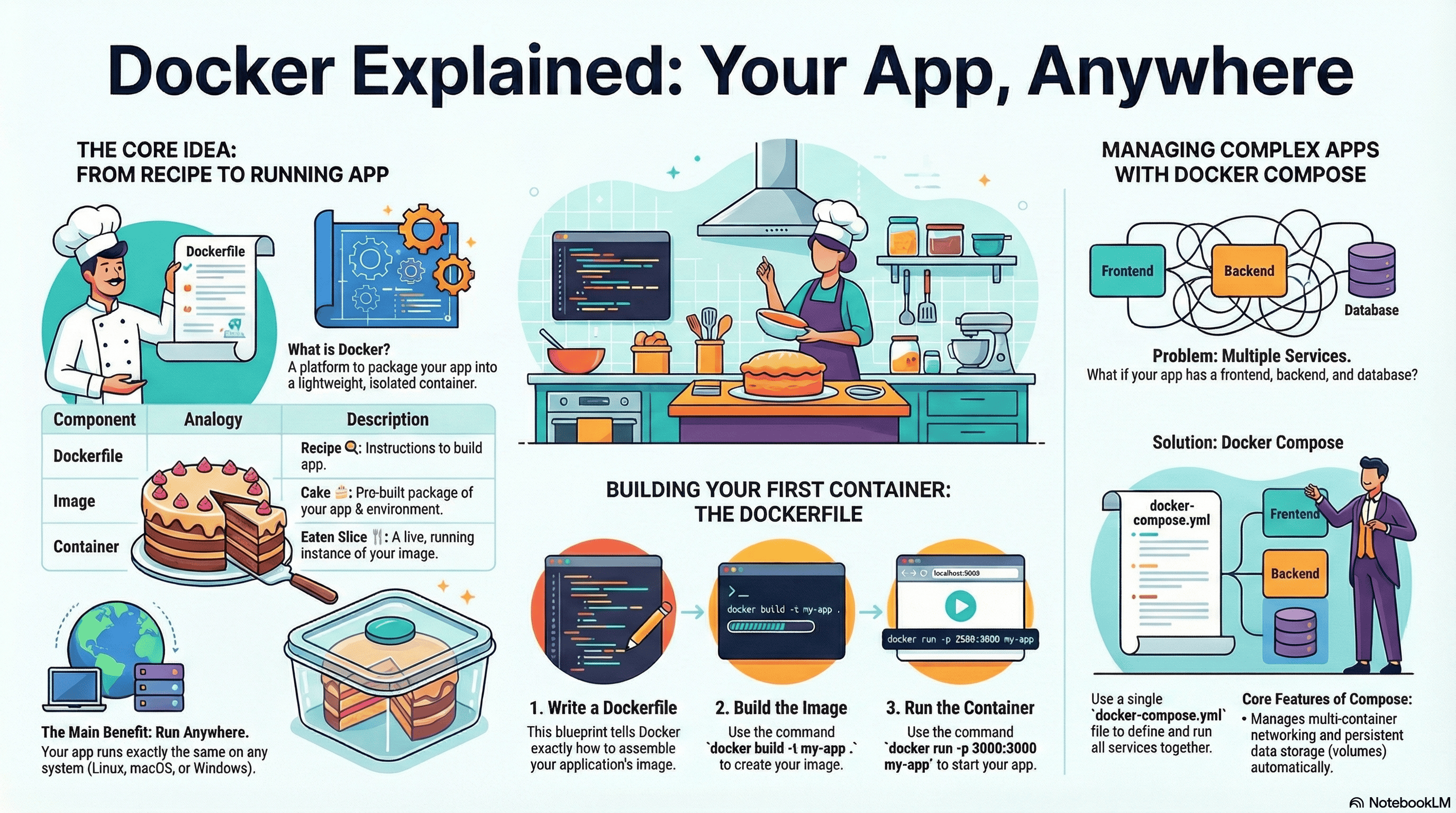
The image above uses a brilliant cooking metaphor to explain Docker:
-
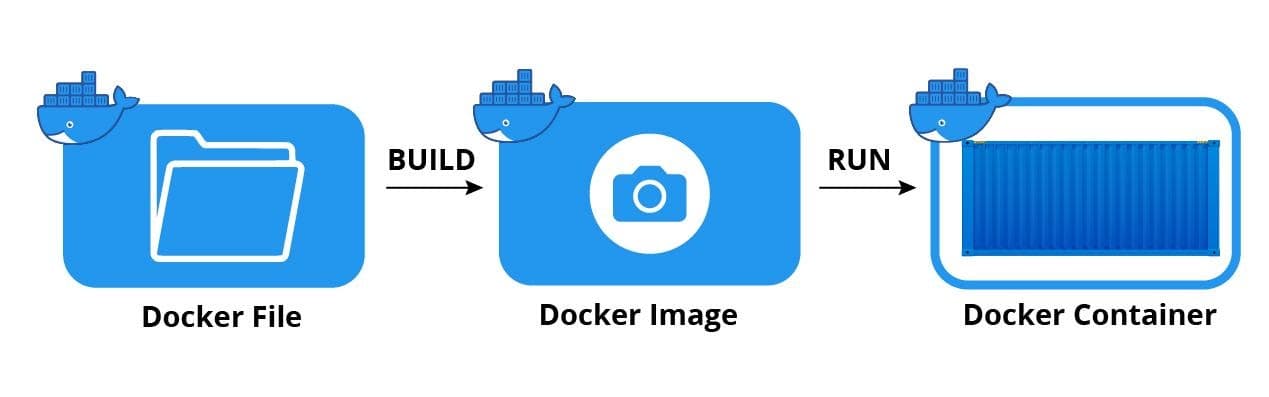
Dockerfile = Recipe: This is your instruction manual. It tells Docker exactly what ingredients (code, libraries, settings) your app needs and how to put them together.
-
Image = The Cake: Once you follow the recipe (build from the Dockerfile), you get a complete package—a "cake" that contains your application and its entire environment, ready to be served.
-
Container = Eaten Slice: When you actually run your image, you create a container—a live, running instance of your application. Just like eating a slice of cake, this is the application in action.
Why This Matters: Run Your App Anywhere
The main benefit is simple: your application will run exactly the same way on Linux, macOS, Windows, or any cloud server. No more "it works on my machine" excuses. Package it once, run it everywhere.
Building Your First Container: Three Simple Steps
-
Write a Dockerfile: Create a text file that lists all the steps needed to build your application—what base system to use, what code to include, and what commands to run.
-
Build the Image: Run the command
to create your packaged application image.codedocker build -t my-app -
Run the Container: Execute
to start your application and make it accessible.codedocker run -p 3000:3000 my-app
Handling Complex Applications with Docker Compose
Real-world applications rarely consist of just one component. You might have a frontend website, a backend API, and a database all needing to work together. This is where Docker Compose shines.
Instead of managing multiple containers separately, Docker Compose lets you define all your services in a single
docker-compose.ymlKey Takeaway for Beginners
You don't need to be a DevOps expert to use Docker. Start with the basics: write a simple Dockerfile for your application, build it, and run it. As your needs grow, you can graduate to Docker Compose for managing multiple services together. The learning curve is gentle, but the benefits—consistency, portability, and easier collaboration—are immediate.